Handwritten lane
Handwritten captions a personal tone.
For journals, recipes and personal stories where a human-looking texture fits the message.
Start captioning freeFree plan · no credit card
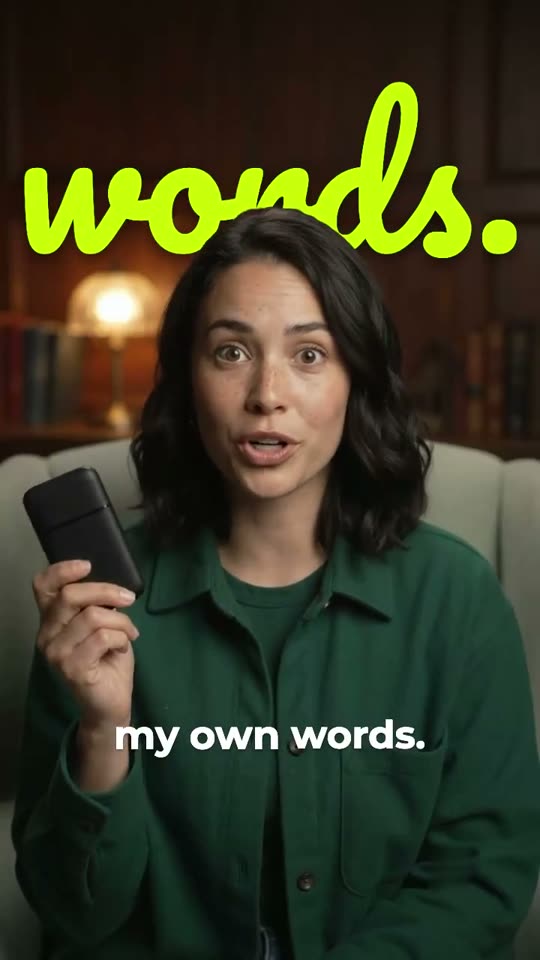
Handwritten captions give speech a pen, marker or chalk treatment. Preview a short line in motion and use the style only if the viewer can finish reading it at the original speaking speed.
Video stays on your device. Audio is sent for transcription.
See the captions in motion
How it works
Transcribe the clip
Add your video and pick the language spoken in it. Signing in sends the extracted audio for transcription. The video file stays on your device.
Correct the words first
Fix names, numbers and misheard phrases before you pick a hand, because each fix can change the line length.
Export the handwriting
Download the captioned video. The handwriting is burned into the picture, so keep the editable project for any later fix.

Twenty styles in Handwritten
Compare the handwriting treatments and their reveals on a short phrase.
Styles shown: Handwritten, Notebook, Chalk, Signature, Graffiti, Lyric, Scrawl, Gold Pen. Tap any style to open it in the editor with that look already applied.
Try the style on the sentence with the longest name in your clip. Shapes that work for “thank you” can get hard to read in a technical phrase or a fast list.
Twelve styles genuinely draw on
Across the catalogue, Handwritten, Signature, Felt Pen, Notebook, Postcard, Draft, Scrawl, Feather, Diary, Sticky Note, Sumi-e and Blackboard use the write-on treatment. Felt Pen and Sumi-e sit outside the Handwritten category. Other handwritten-looking styles can use a different reveal.
Choose the hand for the sentence
For Hindi in Devanagari, try a Kalam-based treatment and preview your own Hindi text. A handwriting font picked from an English demo may not cover every script.
When to use a simpler style
Use a steady sans serif for rapid instructions, dense terminology or a background full of fine detail. A handwriting treatment can introduce the piece and then give way to more readable dialogue captions.
The effect is a style choice. It does not guarantee better retention. Watch the full export at phone size with the sound off before deciding it works.
- A notebook feel
- Compare Handwritten and Notebook for an informal, paper-inspired presentation.
- A louder mark
- Try Chalk or Graffiti when the background and subject can support a stronger texture.
- A delicate accent
- Keep Signature or Gold Pen for a short phrase, such as a sign-off or a name.
Common questions
Does every handwritten style draw each stroke?
No. Only the twelve write-on styles named above draw each stroke. The others animate a handwriting font in another way, as the live preview shows.
Can I keep handwriting in an SRT?
No. An SRT file holds only the text and timings. Export the captioned video to keep the handwriting.
Can I change the colour?
Yes. The editor’s style controls let you adjust the available text and accent colours. Recheck contrast afterwards, especially for thin pen strokes.
